
Vavada Casino Login and Registration Guide
Getting into your Vavada account should take about ten seconds. For most players it does. But if you’re new to the site, running into a geo-block, or dealing with a password you can’t forgotten, those ten seconds can stretch into a frustrating hour. This guide covers the full process: creating an account, logging, fixing common errors, and keeping your account secure.
What is Vavada and can Canadian players actually use it?
Vavada is an international online casino that has been operating since 2017. The brand is associated with Vavada B.V., a company registered in Curaçao under registration number 143168, and current licensing information identifies Curaçao online gaming licence OGL/2024/252/0153. Canada is not listed among Vavada’s restricted territories, and the casino is marketed to Canadian players, with CAD support available alongside other account currencies. However, Vavada does not hold a Canadian provincial gaming licence.
The regulatory situation in Canada is different from that of locally licensed online casinos. Gambling is governed by Canada’s federal Criminal Code, while provinces have authority to conduct and manage legal gambling within their jurisdictions. This means players should distinguish between provincially regulated platforms and offshore casinos such as Vavada. The distinction is particularly important in Ontario, where private online casinos must operate within the province’s regulated iGaming framework to be locally authorized. Vavada operates outside that Ontario framework, so Ontario players do not receive the same local regulatory protections that apply to AGCO/iGaming Ontario-regulated operators.
Vavada has a broad game catalogue supplied by over 50 providers, including NetEnt, Pragmatic Play, BGaming, Play’n GO, Playtech, Hacksaw Gaming, Relax Gaming, Red Tiger, Quickspin, Thunderkick, and Yggdrasil Gaming. The selection covers traditional slots, live casino games and other instant-style casino titles, while games such as Starburst from NetEnt and popular Pragmatic Play releases contribute to the platform’s slot selection.
For Canadian users, one practical advantage is support for CAD, reducing the need to maintain a casino balance in USD or EUR. Available banking options can vary by location and payment provider, while international casino reviews report support for cards, e-wallets and cryptocurrencies. Crypto can be particularly relevant for offshore casino transactions where conventional payment providers impose restrictions. Canadian players should nevertheless check the current cashier options, minimum deposit and withdrawal requirements directly before depositing, as payment availability and limits can change.
How to create a Vavada account (step by step)
You can’t log in without an account, so if you’re starting from scratch, the registration process works as follows.
Step 1: Get to the official site
Type vavada.com directly into your browser. Don’t use links from random third-party sites. If the main domain is blocked by your ISP, Vavada maintains mirror links that work identically. You can find current mirrors through Vavada’s official social media channels or by contacting support directly.
Step 2: Click “Register”
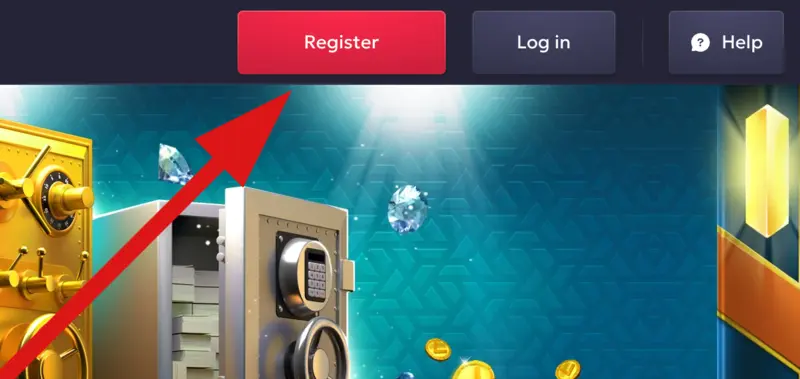
The button sits in the top-right corner of the homepage. Click it and a registration form opens.
Step 3: Fill in your details
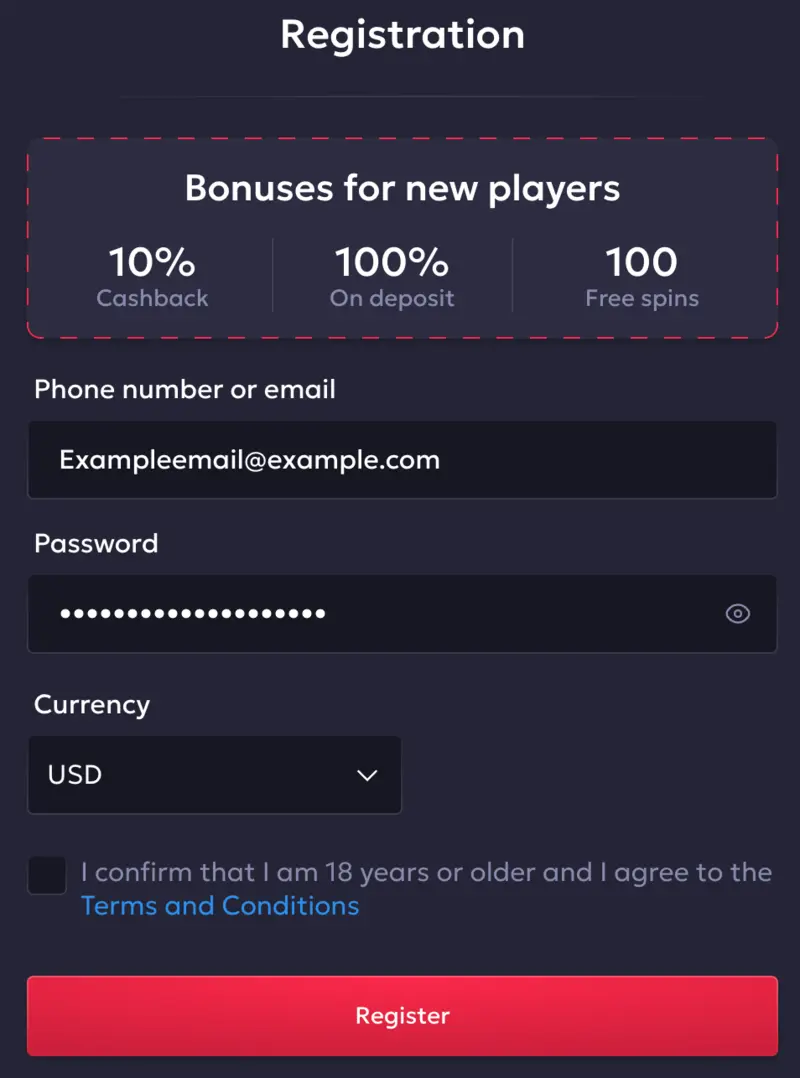
You’ll need:
- A valid email address
- A password (minimum 8 characters, mix of letters and numbers recommended)
- Your currency
- Agreement to the terms and conditions
Some registration flows also show a promo code field. If you have one, enter it here. If not, leave it blank.
Step 4: Verify your email
Vavada sends a confirmation link to the email you registered with. Click it within 24 hours. Without verification, your account exists but deposits and withdrawals stay locked.
Step 5: Complete your profile
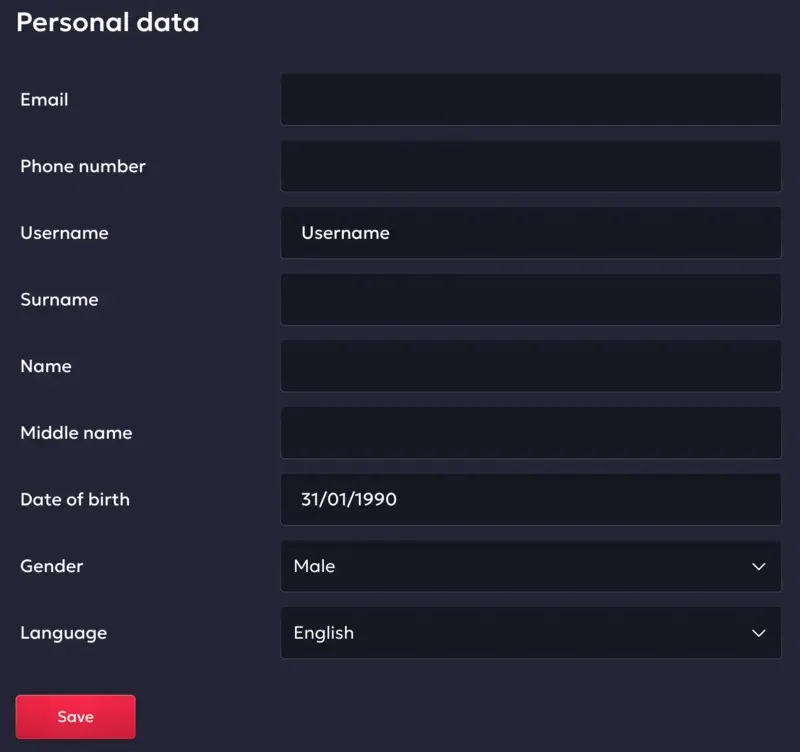
After email confirmation, log in and go to your account settings. Add your full name, date of birth, and address. This information is required before any withdrawal is processed. Entering it accurately from the start saves time later.
Pro tip: Use the same name on your Vavada profile as on your ID document. Mismatches are the number one reason withdrawals get delayed during KYC verification.
The Vavada login process
Once your account is set up, logging in is straightforward.
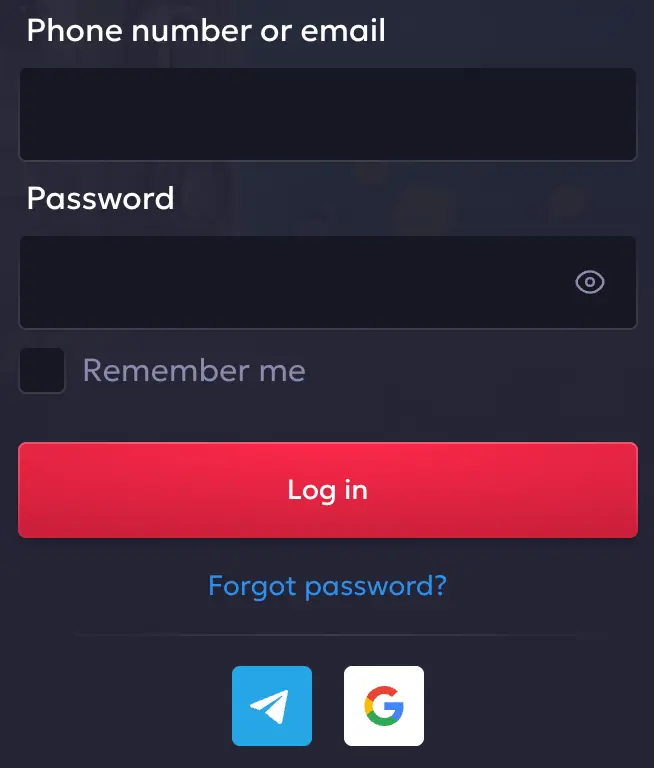
- Go to vavada.com (or a working mirror)
- Click “Log in” in the top-right corner
- Enter your registered email address
- Enter your password
- Click “Log in”
You’ll land on the casino lobby with your balance visible in the top bar. On mobile, the process is identical whether you’re using the browser or the Vavada mobile app. The app is available as a direct APK download for Android (not through the Google Play Store) and through the App Store for iOS users.
Common login problems and how to fix them
| Problem | Most likely cause | Fix |
|---|---|---|
| Wrong email or password | Typo, or wrong account email | Use password reset; check if you registered with a different email |
| Site won’t load | ISP block or DNS issue | Try a mirror link, change DNS, or use a VPN |
| Account locked | Too many failed login attempts | Wait 30 minutes, then try again or contact support |
| Email not verified | Confirmation email missed | Check spam folder; request a new confirmation email |
| Session expires too fast | Browser cookie settings | Allow cookies for vavada.com; enable “remember me” |
Resetting your password
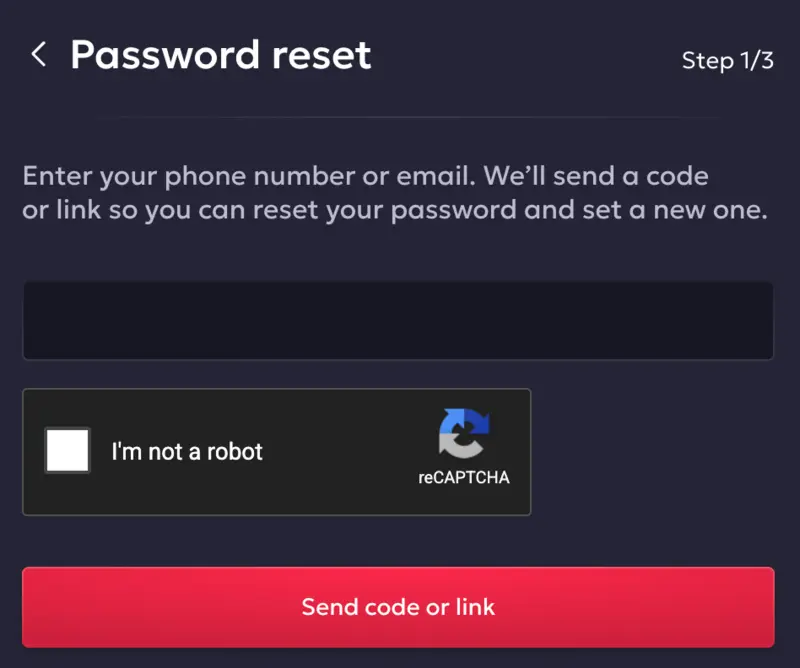
If you’ve forgotten your password:
- Click “Log in” on the homepage
- Select “Forgot password?” below the password field
- Enter the email address linked to your account
- Check your inbox for a reset link (check spam if it doesn’t appear within 5 minutes)
- Click the link and create a new password
- Log in with your new credentials
The reset link expires after 1 hour. If it expires before you use it, request another one from the same screen.
Account security: keeping your Vavada login safe
Online casino accounts hold real money. Treat your login credentials with the same care you’d give a bank account.
- Use a unique password. Don’t reuse a password from another site. If that site gets breached, your casino account becomes vulnerable. A password manager like Bitwarden or 1Password makes this easy to maintain across dozens of accounts without memorizing anything.
- Check the URL before you type anything. The official site is vavada.com. Phishing sites often use domains like “vavada-login.com” or “vavada-casino.net” to harvest credentials. Confirm the domain is correct and that the connection shows HTTPS with a padlock icon. If the padlock is missing, close the tab immediately.
- Avoid public Wi-Fi. Coffee shop and airport networks are easy targets for credential interception. If you need to play on the go, use your phone’s mobile data instead. A VPN also mitigates the risk if mobile data isn’t an option, but mobile data is simpler.
- Log out on shared devices, every time. If you ever access your account from a device that other people use, log out manually when you’re done. Don’t rely on the session expiring automatically. It often doesn’t, especially on browsers set to restore previous sessions on startup. Beyond logging out, consider clearing the browser history and saved passwords on that device as well.
- Watch for phishing emails. Vavada will never ask for your password by email. If you receive a message asking you to confirm your credentials through a link, don’t click it. Navigate to vavada.com directly by typing it yourself, then log in from there. Legitimate account alerts from Vavada will tell you to log in yourself, not provide a pre-filled link.
Two-factor authentication on Vavada
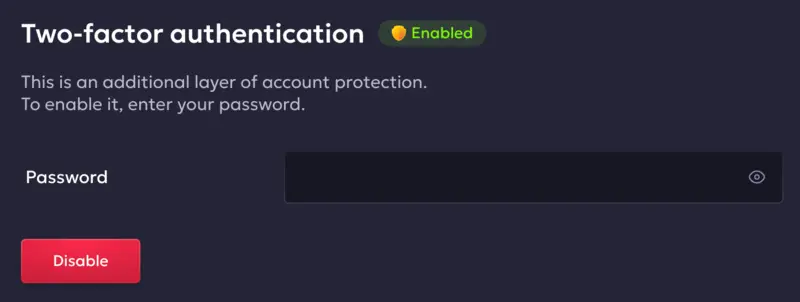
Vavada offers two-factor authentication in the traditional sense. The website is integrated with Google Authenticator and SMS code systems. Account security depends not only on the combination of your email address and password, but also on SMS verification and a code from Google Authenticator.
To enable two-factor authentication (2FA), log in to your player account on the official Vavada website. Then go to the “Profile” section and select “Two-factor authentication.” Scan the QR code using the Google Authenticator app and enter the code displayed in the app. If everything is done correctly, an “Enabled” icon will appear next to the “Two-factor authentication” option.
Making your first deposit after login
Once you’re logged in, go to the Cashier section, usually found in your account menu or via a “Deposit” button in the top bar.
For all players, the most reliable deposit methods are:
- Bitcoin (BTC): Processed instantly on Vavada’s side with no platform fees. Network confirmation takes 10 to 30 minutes depending on blockchain congestion.
- Ethereum (ETH): Also instant on Vavada’s end. Confirmation is faster than Bitcoin, typically under 5 minutes, though gas fees can vary significantly.
- Litecoin (LTC): Confirmation times average around 2.5 minutes per block, making it one of the quicker crypto options for smaller deposits.
- Tether (USDT): Worth considering if you want to sidestep crypto price swings. Your deposit value in USD terms stays stable from the moment you send it.
The minimum deposit is typically $10 or its crypto equivalent, though this varies by method. Your first deposit activates the welcome bonus automatically unless you’ve opted out during registration.
One practical note: if you’re buying crypto specifically to deposit at Vavada, factor in exchange fees and transfer times. Buying on Coinbase and sending to Vavada, for example, involves a purchase fee plus a network fee. Budget an extra 1 to 3 percent above your intended deposit amount to cover those costs.
Account verification (KYC) at Vavada
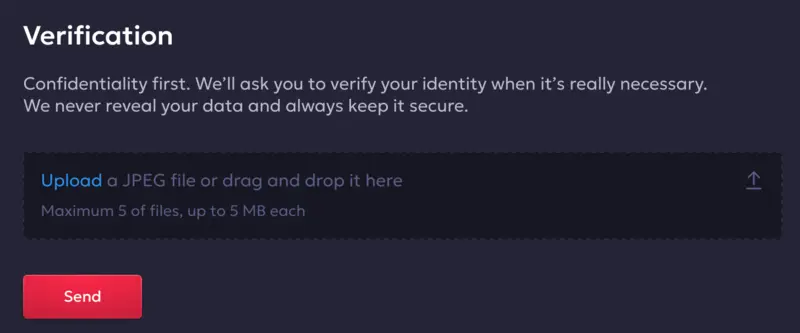
Vavada requires identity verification before processing withdrawals above certain thresholds. The process is standard for licensed online casinos and exists to satisfy anti-money laundering requirements under Curaçao gaming regulations.
You’ll typically need to submit:
- A government-issued photo ID (passport or driver’s license)
- Proof of address dated within the last 3 months (utility bill or bank statement)
- For crypto withdrawals above larger amounts, a source of funds declaration may be requested
Verification usually takes 24 to 48 hours once documents are submitted. Submitting clear, unobstructed photos of your documents speeds this up considerably. Blurry images or partially cropped IDs are the most common reason verification takes longer than expected.
The earlier you complete KYC, the better. Players who wait until their first withdrawal request often find the process delays their payout by several days. Getting it done right after registration means your first withdrawal processes without any hold-up.
Logging out correctly
A lot of account security problems come from incomplete logouts. Closing a browser tab is not the same as logging out.
To log out properly: click your account icon or username in the top-right corner, then select “Log out” from the dropdown. You’ll be returned to the homepage as a guest. On some browsers, the session persists even after closing the tab, so anyone who opens the site on that device will still be logged into your account. The only way to prevent this is to log out explicitly before closing.
Frequently Asked Questions
Go to vavada.com, click «Log in» in the top-right corner, enter your registered email and password, then click «Log in». You’ll land directly in the casino lobby. The process is the same on desktop and mobile. If the main domain is blocked, use an official Vavada mirror link and your credentials will work identically.
Click «Log in» on the homepage, then select «Forgot password?» below the password field. Enter your registered email and Vavada will send a reset link. Check your spam folder if nothing arrives within 5 minutes. The link expires after 1 hour, so use it promptly. After resetting, log in with your new password.
Your ISP may be blocking the domain. Try switching your DNS to 8.8.8.8 (Google) or 1.1.1.1 (Cloudflare), which resolves DNS-based blocks without a VPN. Alternatively, use an official Vavada mirror link or connect through a VPN with a European or Canadian server. All three methods let you log in with your normal credentials.
Double-check you’re using the exact email you registered with, including no extra spaces. Passwords are case-sensitive, so verify caps lock is off. If multiple attempts fail, use «Forgot password?» to reset. It’s also possible you registered with a different email address if you have more than one.
Yes. The Vavada mobile app (APK for Android or App Store for iOS) supports persistent login sessions. Enable the «remember me» option when logging in and the app keeps you signed in between sessions. Make sure your device’s app permissions allow local data storage so the session token saves correctly.
Go to vavada.com and click «Registration» in the top-right corner. Fill in your email, choose a password, select USD as your currency, and accept the terms. After submitting, check your email for a confirmation link and click it within 24 hours. Once verified, log in and complete your profile before making a deposit.
Locks from failed login attempts usually lift automatically after 30 minutes. If your account has been suspended for another reason, such as verification issues or a bonus abuse flag, contact Vavada’s customer support via live chat or email. Have your registered email address and identity documents ready. Support will clarify the reason and outline the steps to restore access.
Check the URL before typing anything. The official domain is vavada.com, and the connection should show HTTPS with a padlock icon.
Vavada currently offers built-in two-factor authentication (2FA), as well as SMS codes or an authenticator app. The most effective way to protect your account is to enable two-factor authentication for your Vavada profile.